Wednesday 11:30 AM - 12:40 PM · Room S104b
Extending Microsoft 365: Exploring the Art of the Possible

Julie Turner
Partner/CTO Sympraxis Consulting | Microsoft MVP | Microsoft 365 Speaker
Ever felt like the world of Microsoft 365 is a maze? You’re not alone! In this session, we’ll take a journey together through real-life examples where we’ve turned the complexity of Microsoft 365 into simple, automated solutions.
We’ll start from the basics, exploring out-of-the-box and low-code options, and gradually move towards creating custom self-hosted solutions. Extending Microsoft 365 is not limited to just creating web parts and by the end of this session, you’ll be inspired to see how you can make Microsoft 365 work for you in ways you’ve never imagined before. So, whether you’re a beginner or have some experience under your belt, join us as we unravel the exciting possibilities of extending Microsoft 365!
Thursday 12:50 PM - 2:00 PM · Room S104b
Azure Functions: Real-World Scenarios & NodeJS Implementation Overview
Julie Turner
Partner/CTO Sympraxis Consulting | Microsoft MVP | Microsoft 365 Speaker
In this session, we will explore the powerful capabilities of Azure Functions for extending Microsoft 365.
We will begin by discussing the various use cases for Azure Functions, including their ability to trigger actions when items in Microsoft 365 change and their application as Timer Jobs. We will delve into the integration with SharePoint Framework (SPFx) APIs using the On-Behalf-Of (OBO) flow and discuss how queues can be used to provide the most resilient solutions.
The remainder of the session will be devoted to giving an overview how implementing Azure functions using NodeJS (although you absolutely can do them with C#/Visual Studio). We'll include the getting started configuration, and a brief word about CommonJS vs ESModules. We'll then discuss security considerations by showing basic Entra ID application registration but discuss how we can implement Managed Identity using Azure Identity to securely access other parts of your tenant. The session will also include a detailed look at the OBO Flow. We'll finish up by discussing queues and requeuing options.
Join me to gain a comprehensive understanding of how Azure Functions can be used to extend Microsoft 365, improve efficiency, and enhance security.
Thursday 4:00 PM - 5:10 PM · Room S104b
Azure Logic Apps: Building Scalable Integrations for the Enterprise
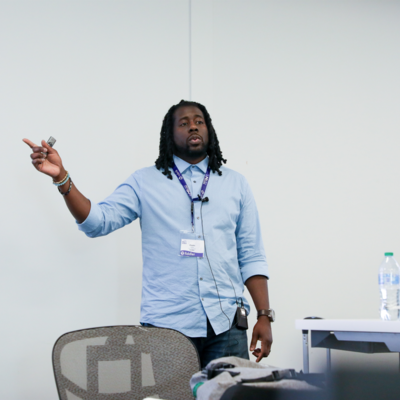
Charles Lakes II
Microsoft MVP BizApps | Creative Solution Architect @ The II Lakes Group
Well-designed Power Automate flows can easily scale for large teams, but are they scalable enough for the entire org? Can your cloud flows reliably support larger, mission-critical, enterprise-level workloads? Possibly, but maybe not.
Azure Logic Apps, Microsoft’s enterprise orchestration platform, is the assured choice if you’re integrating across software ecosystems and requiring greater throughput.
In this session, we'll discuss Azure Logic Apps’ relationship with Power Automate, its flexible development options, opportunities for CI/CD deployment, and day-one savings.
Friday 9:00 AM - 10:10 AM · Room S104b
Harnessing Change Events in Microsoft 365 for Enterprise-Scale Workflow Management
Julie Turner
Partner/CTO Sympraxis Consulting | Microsoft MVP | Microsoft 365 Speaker
Mature organizations that use Microsoft 365 often need to run custom workflows when events happen in Microsoft 365, like updating list items, adding users, updating groups, or changing files. When there's only a single list or library, or other single event items, it can make sense to use a tool like Power Automate or an Azure Logic Apps. However, these tools require connecting a workflow to a specific entity (list, library, drive) making these solutions difficult to manage when there are many of the same types of items to monitor. Enter stage left: Change Events.
To be clear, change events (aka Webhooks) are not a power user tool; they require the ability to architect and manage cloud resources and write enterprise level code. But the benefits and scalability make it well worth the time investment! In this session you'll learn about: • What change events are and what are some of the common use cases they can help solve • What common architectural pattern for managing your subscriptions and events looks like • What cloud services are commonly used to support the common architecture • What boilerplate code looks like to establish and manage subscriptions and react to event notifications • Where and how you might implement custom handlers for establishing what subscriptions are needed and what happens when an event is fired.
Don't miss this opportunity to learn how to manage workflows at scale to reduce risk and simplify management!