
Monday 9:00 AM - 5:00 PM · Room S102a
Discover Power Apps and Power Automate: A Quick Start for Copilot-Enabled M365 Makers

Scott Shearer
Microsoft 365 Evangelist, MVP and MCT

Wes Preston
Founder and independent consultant working with platform alignment and no-code solutions with M365 and Power Apps
Are you new to Power Apps and Power Automate? Join this hands-on session designed to help makers expand their Microsoft 365 toolkit, with Copilot guidance along the way.
You’ll tackle a real-world business scenario, using a Copilot-first approach to go from initial requirements towards a full-featured solution—building on a M365 foundation with Power Apps and Power Automate. Throughout the session, you’ll see how Copilot features can streamline app and flow creation, making the process more intuitive and efficient.
Expect a practical, step-by-step walkthrough for creating Power Apps and Flows. By the end, you’ll have a solid grasp of both technologies and how Copilot can accelerate your development journey.
Notes and Requirements: Attendees must come prepared with: A laptop computer (Attendees who bring tablets with keyboards will likely have a sub-optimal experience) A Microsoft 365 (M365) environment where you can create a Team, lists, Power Apps, and Power Automate Flows. A separate Copilot license is not required. If you do not have an M365 environment in which you can work, please consider "purchasing" a Microsoft 365 Business Basic plan currently priced at $6 per month with a 30-day free trial. The subscription can be cancelled within the first 30 days. If you are using a company owned laptop, please verify that you can create Power Apps, Power Automate Flows, a Team as well as other M365 components. Employers frequently lock down laptops.
Monday 9:00 AM - 5:00 PM · Room S104b
Advanced Power Apps and Power Automate: Workarounds for Common Problems

Paul Papanek Stork
Don't Pa..Panic Consulting, Owner
Spend any amount of time in the Power Platform forums and you will begin to see a lot of similar questions asked over and over again.
In this workshop we will look at some of the most common issues Citizen Developers encounter when trying to develop applications and workflows in the Power Platform. We'll examine each type of problem, analyze why they occur, and provide workarounds that you can use when you encounter them.
The workshop will be divided into two parts. In the first we'll concentrate on Power Apps and in the second we'll look at Power Automate.
Here is a general list of the overall topics we will cover: • Morning: Power Apps ○ Delegation ○ Working with Dates and Times ○ Conditional Formatting of data ○ Passing Data to and Retrieving Results from a Flow • Afternoon: Power Automate ○ Using Conditions and Switches effectively ○ Handling Loops and Parallel Branches ○ Working with Large Data Sources ○ Implementing Error Checking/Correction ○ Improving Performance
Wednesday 9:50 AM - 11:00 AM · Room S103d
Power Apps Quick-Start for Copilot-enabled M365 Makers
Wes Preston
Founder and independent consultant working with platform alignment and no-code solutions with M365 and Power Apps
Unlock the potential of Microsoft Lists with Power Apps and Copilot. Join us for a session designed for power users and makers who are already harnessing the power of Microsoft Lists. We’ll extend List data with the functionality of dynamic forms and functionality using Power Apps and Copilot. In this session, you will get past your fear of complexity and learn how to: • Integrate Power Apps with Microsoft Lists to enhance data management and user experience. • Build custom forms and applications that leverage the data stored in your lists. • Explore real-world examples and best practices to inspire your own innovative solutions. Whether you're looking to improve your existing approaches or develop new applications, this session will provide you with the knowledge and tools to unlock the full potential of Microsoft Lists with Power Apps. Don't miss this opportunity to elevate your skills and transform your business solutions!
Wednesday 11:30 AM - 12:40 PM · Room S103d
Power Apps: Business Solutions for the Modern Enterprise
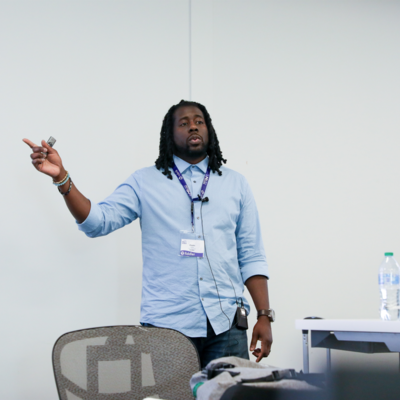
Charles Lakes II
Microsoft MVP BizApps | Creative Solution Architect @ The II Lakes Group
Low-code is holding its own against, if not edging out pro-code and no-code development for today's modern, scalable, enterprise solutions. Power Apps, Microsoft's SaaS offering to design and build highly custom business apps, is a suite of services and connectors promoting rapid, feature-rich app development.
In this session, we’ll explore how Power Apps (I) empowers non-devs, (II) welcomes pro-devs, (III) reduces infrastructure costs, (IV) tackles IT's project backlog, (V) drives process innovation, and (VI) democratizes business solution development.
Wednesday 11:30 AM - 12:40 PM · Room S104a
Architecting End to End Solutions with Power Apps Plan Designer
Paul Papanek Stork
Don't Pa..Panic Consulting, Owner
Power Apps Plan Designer is more than just a planning canvas. It’s a structured AI system that walks you through the steps required to build Apps, Flows, Agents, and Dataverse tables to solve a Business. In this session we’ll do a thorough walk through showing how Plan Designer translates a problem statement into user stories and data models. Then Plan Designer will use that as the foundation for building out Dataverse tables, Power apps, Power Automate flows, and Copilot Studio agents.
Wednesday 3:30 PM - 4:40 PM · Room S103d
Deep-Dive to AI Models + AI Prompts in Power Apps

Gokan Ozcifci
Consultant. Entrepreneur. Microsoft Regional Director & MVP.
Ready to build more innovative apps without writing a single line of code? This session is your practical deep dive into AI prompts within Power Apps, designed for makers and creators who want to build intelligent solutions.
We'll start with the basics: what AI prompts are, and how they guide generative AI models to create valuable, relevant content. Then, you'll get a step-by-step walkthrough on how to write and add these prompts into your Power Platform environments. We'll show you the best practices for crafting effective prompts and give you live demonstrations so you can see how your prompt design directly impacts the quality of the AI's response.
You'll also learn techniques for handling dynamic data and how to avoid common mistakes. This session is perfect for anyone interested in integrating generative AI capabilities using a no-code approach. By the end, you’ll be ready to design and apply powerful AI prompts in your projects confidently.
Wednesday 3:30 PM - 4:40 PM · Room S106b
Avoiding the “Go-Live Hangover”: Battle-Tested Best Practices for Contact Center Implementations

Vinoth Balasubramanian
PRINCIPAL PROGRAM MANAGER,
Contact center implementations often succeed technically—but struggle operationally. In this session, we’ll share real-world lessons learned from deploying contact centers on Dynamics 365 Customer Service, focusing on what actually makes implementations successful beyond go-live. You’ll learn how to align business goals, agent experience, and platform capabilities; avoid common design and adoption pitfalls; and build a scalable foundation that evolves with customer expectations. Attendees will walk away with a proven implementation checklist they can apply immediately.
Thursday 2:10 PM - 3:20 PM · Room S103d
Discover Dataverse for M365 Makers
Wes Preston
Founder and independent consultant working with platform alignment and no-code solutions with M365 and Power Apps
Dataverse, Dataverse, Dataverse… You've been hearing about it for a while but haven't checked it out yet. Now's the time. Adding Dataverse is an investment in time, skills, and licensing. Know when to engage and what to expect.
- Learn what Dataverse is and where it fits in the maker toolset.
- Leverage Copilot for both data and application development through Model-Driven apps
- Cover what the differences are between Dataverse, Microsoft Lists, and other data sources and talk through some of the 'what to use when' considerations as Lists solution builders integrate with and shift to Power Platform tools.
- Get a perspective on the maker skills needed when using Dataverse and how to get started in your organization.
Friday 9:00 AM - 10:10 AM · Room S103d
Microsoft Power Apps: Building Responsive Design Apps for Every Device
Paul Papanek Stork
Don't Pa..Panic Consulting, Owner
Power Apps is a great no-code tool lets "citizen developers" create applications that are designed to run on Desktop PCs, Web Browsers, Tablets, and Mobile devices. But if you want to avoid building 3 or 4 different versions of your App you need to know how to design your Power App to adjust for different sizes, resolutions, rotation, and types of layouts. In this session we'll review all the Tips and Tricks you need to know to easily build one Power App that will adjust to work on any device that supports Power Apps and look good in the process.
Friday 10:20 AM - 11:30 AM · Room S102bc
Jump‑Start Your Journey with Power Pages

Luc Labelle
CEO at Kabesa (MVP, MCT)
Ready to build secure, data‑driven websites without writing a single line of code? In this fast‑paced introductory session, you’ll discover how Power Pages empowers teams to design, customize, and launch professional web experiences directly on top of Microsoft Dataverse. We’ll walk through the essentials creating your first site, navigating the Power Pages Studio, connecting to data, customizing layouts, and applying branding all based on real‑world patterns used in foundational Power Platform training. You’ll also see how to securely share your site, manage permissions, and publish updates with confidence. Whether you’re a maker exploring your first web project or an organization looking to open your data to customers, partners, or employees, this session gives you everything you need to get started quickly and build with impact. You’ll leave with the skills and inspiration to create your own fully functional Power Pages site in minutes.